02 / Inventory and COGS / 6 shops
How a Las Vegas operator does inventory in seconds
They take a picture of each receipt. Clave matches every line to the catalog, updates inventory, and recalculates recipe-level COGS in seconds.

- 128 hours
- saved every month
- 0
- manual receipt entry
- Seconds
- from receipt photo to updated COGS
Before Clave
Inventory lived on paper and across dozens of Excel sheets.
Receipts were scattered around the desk. Every line had to be typed, cleaned up, and matched to the product catalog. Pack sizes and units had to be reconciled before ingredient costs could flow through the recipe book.
Across six shops, the same work repeated every time a delivery or store receipt arrived. The operator spent hours doing line-by-line reconciliation before the numbers were useful.
The setup
The catalog and recipe book became the source of truth.
Clave connects vendor descriptions, retailer receipts, pack sizes, count units, catalog items, and recipe quantities. Each photo is read against the operator's real inventory data instead of becoming another spreadsheet to clean up.
When a line is new or unclear, the operator maps it once. Each approved mapping teaches Clave. The next time that item appears, Clave recognizes it and maps it automatically.
With Clave
Take a picture. Inventory and COGS are ready in seconds.
AI extracts every line, matches it to the catalog, normalizes the unit, updates the item cost, reconciles the purchase to inventory, and recalculates recipe-level COGS.
At the end of the day, the operator can do inventory from a phone instead of returning to a desk full of receipts and Excel sheets.
Connected context
Inventory becomes more useful when it sits beside sales and labor.
Sales alone cannot explain what happened in a restaurant. The answer changes when Clave can connect sales to ingredient usage, current inventory, recipe costs, purchasing, and labor.
Because the data lives in one place, Clave can find the relationship between the numbers, explain what changed, and point the operator toward an action instead of another report.
What comes next
The same inventory data is ready to drive supplier ordering.
Clave already runs supplier-ordering workflows for other operators, including connections to systems such as Sysco and WebstaurantStore. With live stock, expected demand, and recipe usage connected here, the next step is a suggested order built from the same context.
This does not require a new tool or a separate data project. The operator reviews the suggested order before submission, and Clave handles the supplier workflow when they are ready to activate it.
I went from dozens of Excel sheets and line-by-line receipt reconciliation to taking pictures and doing inventory from my phone at the end of the day. Clave automated the whole thing. It has been a life changer.
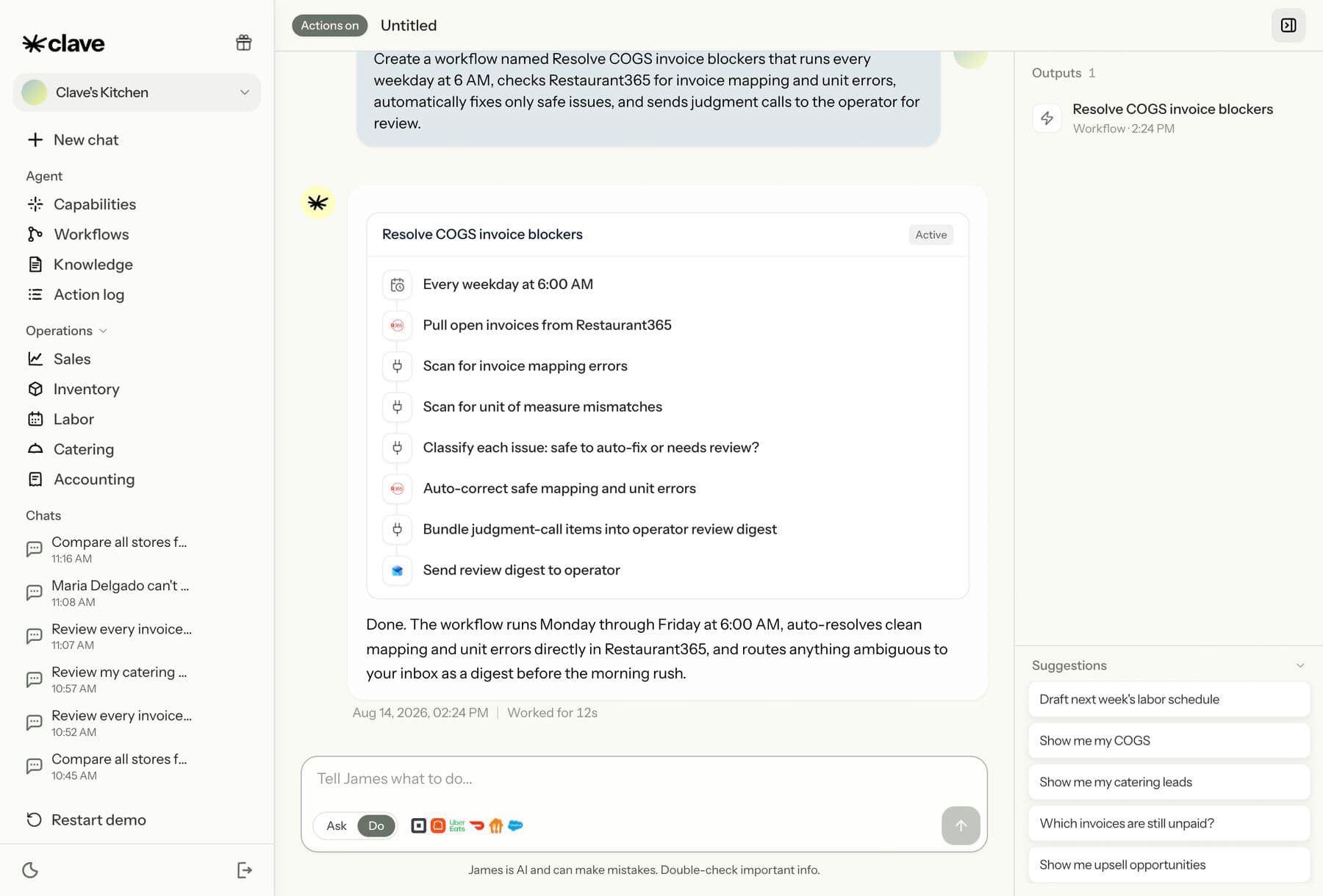
The workflow
Invoice blockers now unblock themselves
Every weekday morning Clave fixes safe invoice mapping and unit errors, then routes the judgment calls to the operator.
Receipt-to-COGS workflow
Photograph a receipt
Paper receipt, retailer receipt, or vendor invoice
captured10 minRead every line
Description, quantity, unit, pack size, and price
automatic20 minMatch the catalog
Recognize the item and reconcile vendor units
automatic30 minUpdate inventory
Post the purchase and cost to the correct shop
automatic15 minRecalculate recipe COGS
Every affected recipe reflects the new ingredient cost
automatic30 min
With Clave: Seconds / By hand: 1 hr 45 min
What changed
Before Clave
- Receipts scattered across the desk
- Dozens of Excel sheets
- Line-by-line matching and reconciliation
- Recipe costs calculated separately
With Clave
- Take a receipt photo from a phone
- AI recognizes and maps each item
- Inventory updates in one workflow
- Recipe COGS recalculates in seconds
See it work
The same workflow, recorded inside Clave.
Start for $0.35.
Connect the systems you already run. Value in the first week, $199 per integrated store per month after the first 30 days.